Send files to anyone: manual transfers with the same controls as your Etsy orders
Custom work, replacements, freebies — not every delivery starts with an Etsy order. Manual transfers send files from your stored folders through the same branded portal, with the same controls
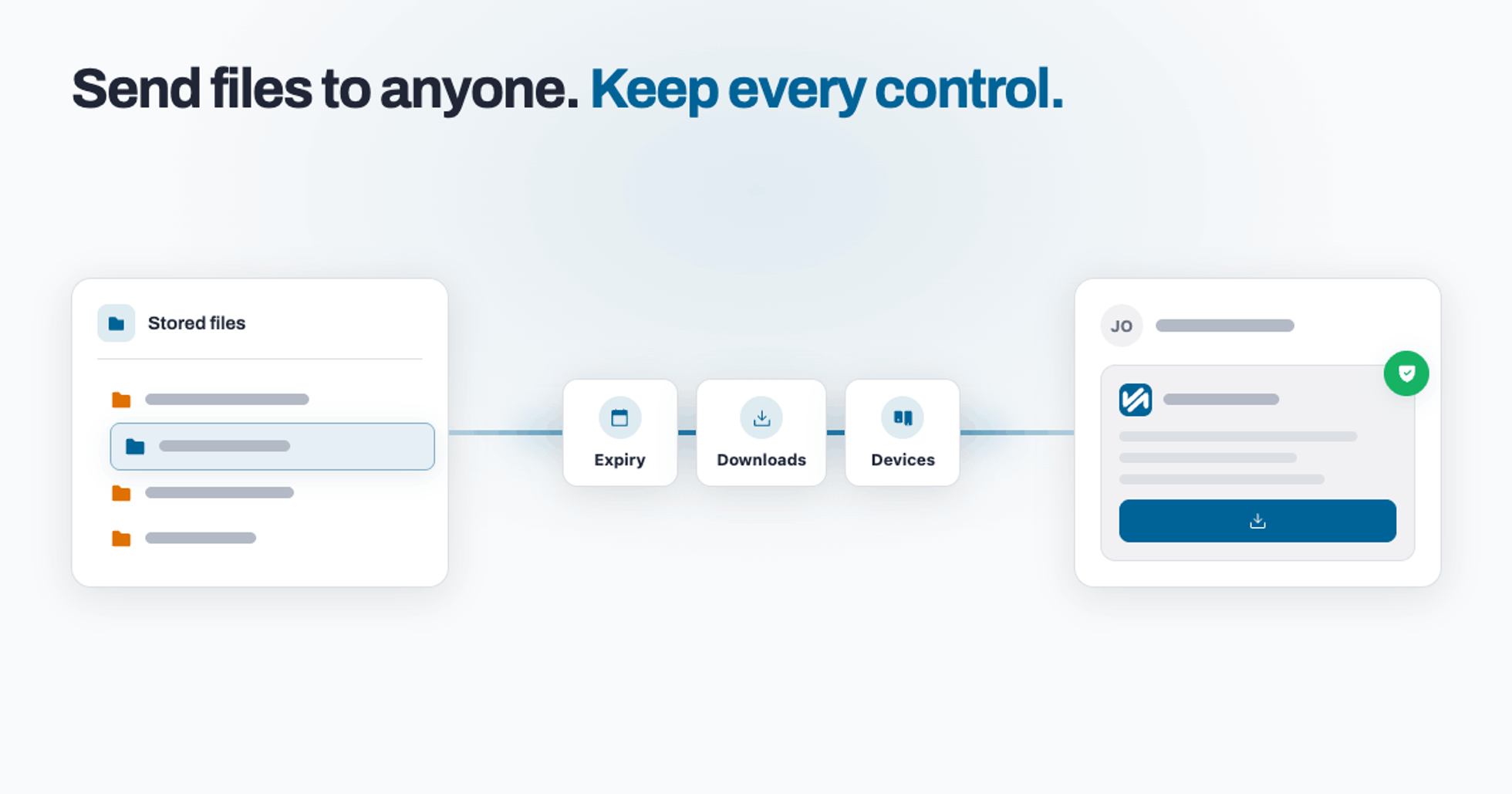
Not every delivery starts with an Etsy order. Sometimes it's a custom commission agreed in messages. Sometimes it's a replacement for a buyer who's struggling. Sometimes it's a press kit, a freebie for your mailing list, or files for a collaborator. And the moment the delivery isn't an order, most sellers fall back on the tool they were trying to escape: a Drive or WeTransfer link with no controls at all.
TRNSFR's manual transfers fix that. You send files from the folders you've already stored, through the same branded download page your buyers see — with the same controls and configuration as every Etsy order you deliver.
The problem with the loose link
A share link sent in a message is a delivery you no longer control. You can't see whether it was downloaded, you can't stop it being forwarded, and it either expires when you didn't want it to or lives forever when you did. For paid custom work, that's your product sitting behind an open door.
Create a transfer from your stored files
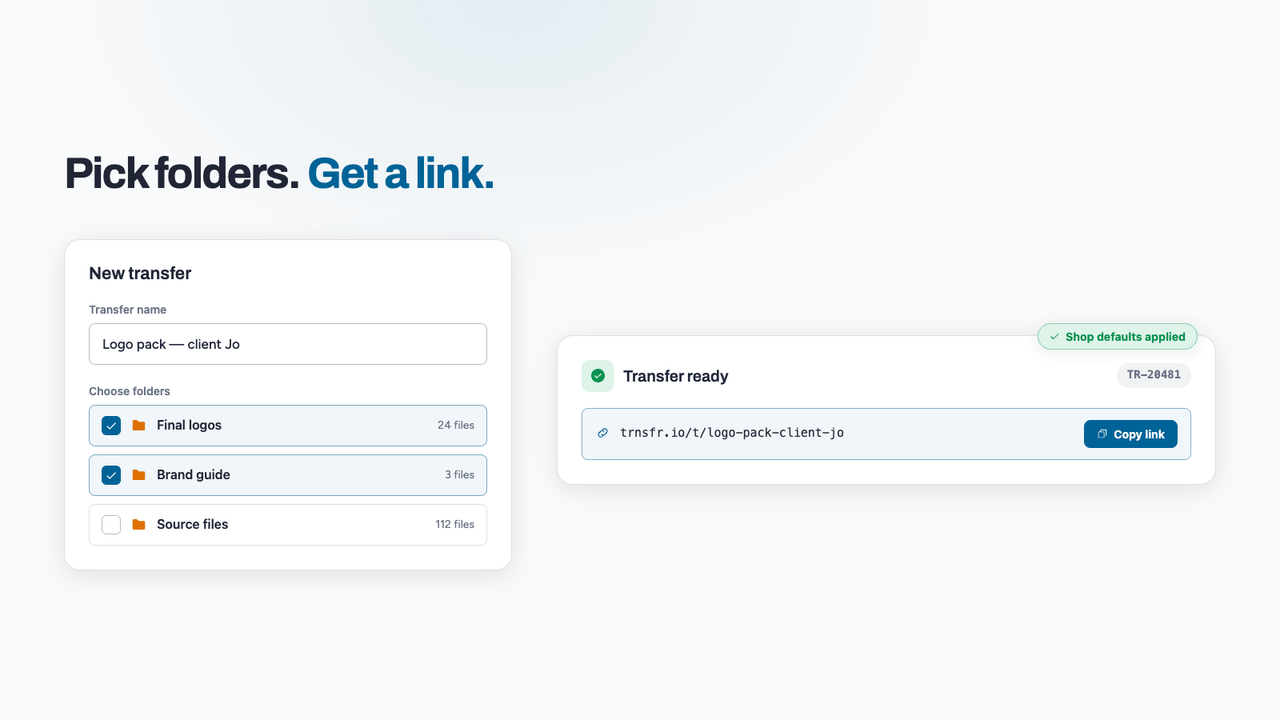
From the Transfers page, give the transfer a name and pick one or more of your stored folders — the same files that power your listings, already uploaded, already virus-scanned. No re-uploading to a third-party service. The transfer gets its own reference number and its own branded download link the moment it's created, with your shop's default download settings already applied.
The same controls as your orders
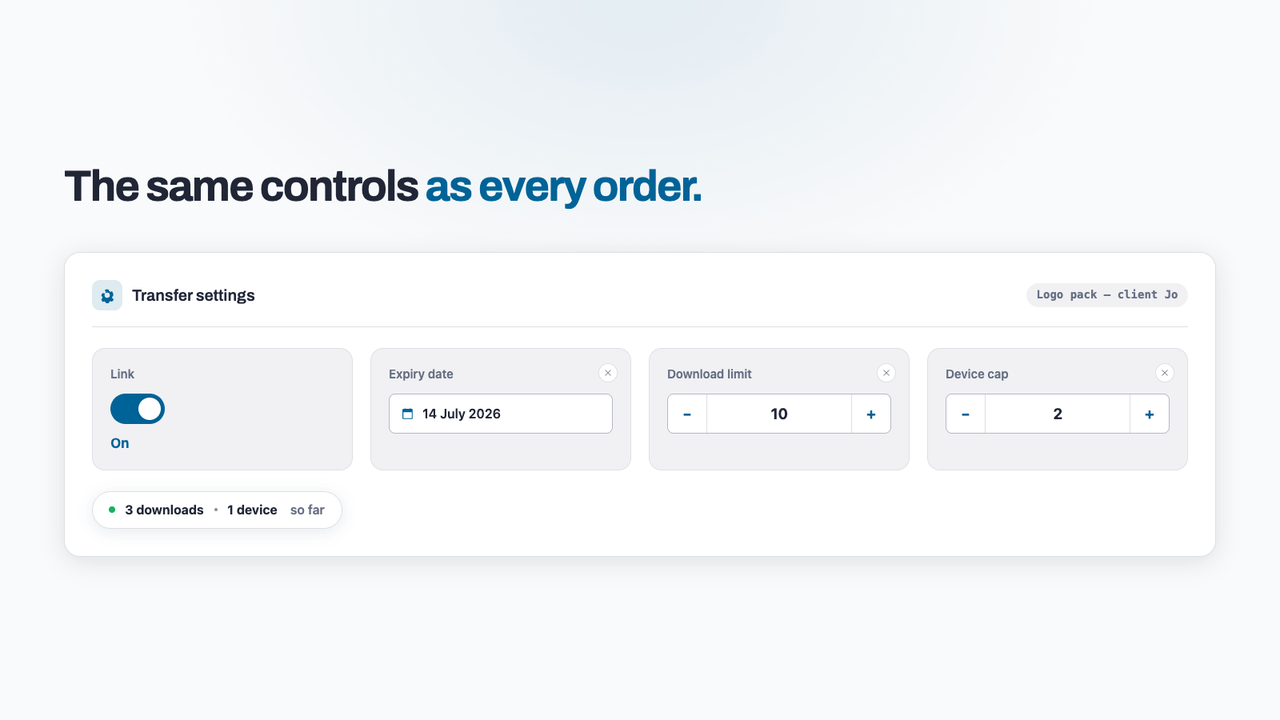
Every manual transfer carries the full set of delivery controls, per transfer: switch the link on or off at any moment, set an expiry date, cap the number of downloads, and cap the number of devices that can use the link — so "sent to one client" can't quietly become "shared with their whole group chat". Each limit can be changed or cleared later, and you can watch the live download and device counts to see exactly how the link is being used.
It's the same configuration your Etsy orders get — one set of rules to learn, applied everywhere your files go.
Send it, your way
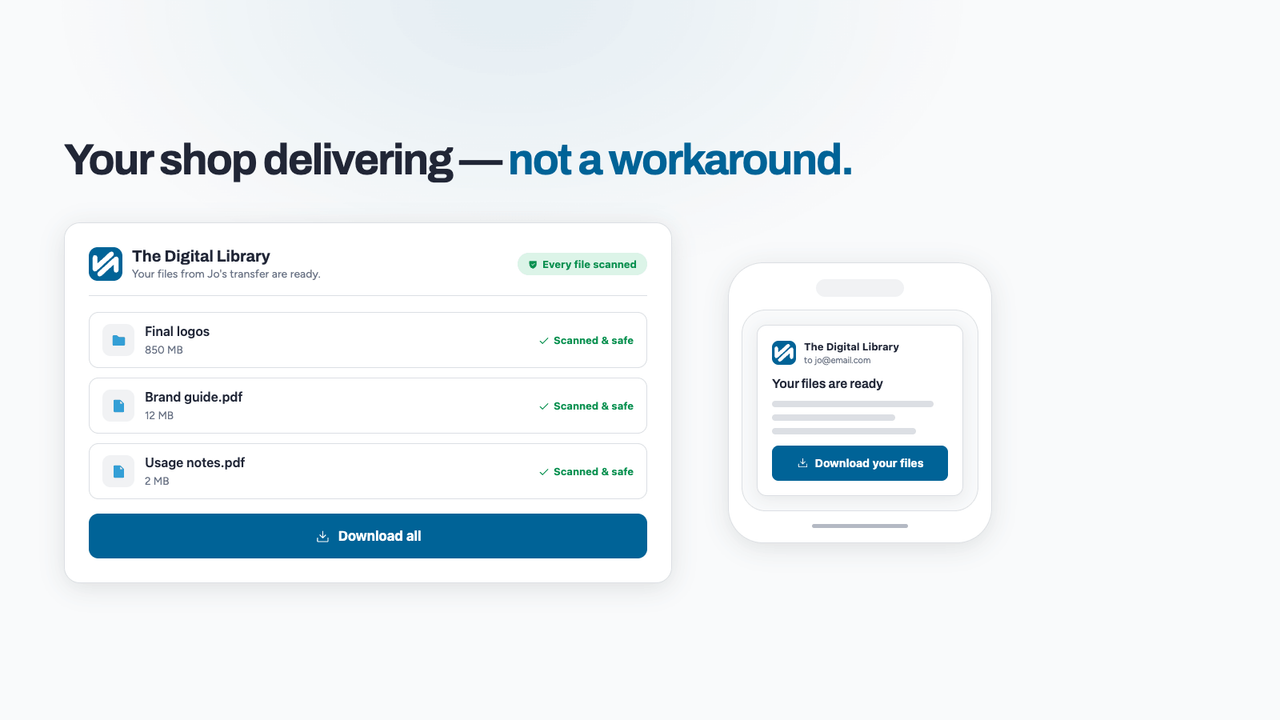
Copy the link into an Etsy message, or email it to the recipient straight from the platform. Either way they land on your branded download page — the same polished experience your buyers get, with files up to 1 GB each and a clean-scan badge on everything. It looks like your shop delivering, not you improvising.
Every delivery in one place
Manual transfers sit alongside your order deliveries — searchable by name or reference number, so "did I ever send that?" takes seconds to answer. And if a situation changes, you don't chase anyone: switch the link off and the door is closed, instantly.
Deliver everything like it's an order
Manual transfers are part of the paid TRNSFR suite alongside file delivery, and you can try everything for 30 days. Store your files once, then send them anywhere — with the controls always on. Start your 30-day trial.
Try it on your shop.
Sign up free — no card. 3 features free forever, and a 30-day trial of everything else inside the app.